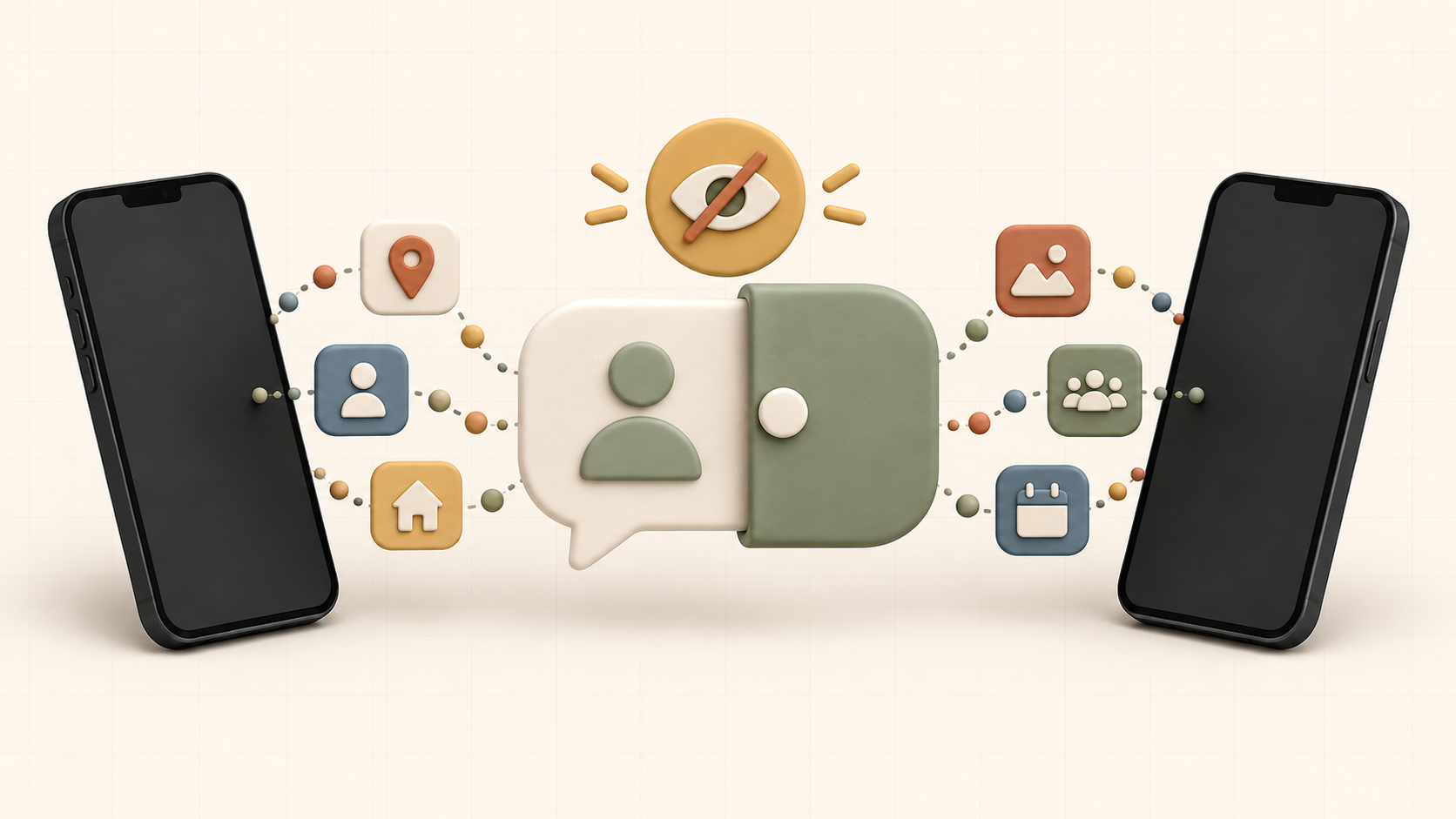
Anonymous chat lets you join a conversation without immediately attaching your full offline identity. That distance can make it easier to explore an interest, ask a question, or meet someone new. It can also create a false sense that nothing you share can be traced back to you.
A username is only one layer of privacy. Your profile, writing, photos, links, schedule, and small personal details can combine to reveal more than any single message. Good anonymous chat safety is the habit of deciding what access each conversation has earned.
Use these 12 privacy rules before, during, and after talking with strangers online.
What Anonymous Chat Does—and Does Not—Mean
In everyday use, anonymous chat usually means other users do not automatically see your legal name or full offline identity. It does not necessarily mean that nobody can identify you or that the service retains no technical information.
Depending on the service and how you use it:
- The platform may collect account, device, or connection information
- Other people may save messages or take screenshots
- A reused username may connect accounts across different sites
- A photo, link, or personal story may reveal identifying details
- Someone may pretend to be a different person
- Laws or valid legal requests may require a service to preserve or disclose certain records
Read the platform's privacy policy for details about its own practices. Then manage what other users can learn through the choices below.
Before You Chat: A 60-Second Privacy Check
Before posting to discovery or answering a new person, check:
- Does my username appear on my public social accounts?
- Does my profile reveal an exact school, employer, neighborhood, or birthday?
- Does my avatar appear elsewhere under my real name?
- Am I about to mention where I am in real time?
- Can I find the block, report, and privacy controls quickly?
- Would I be comfortable if this message were screenshotted?
You do not need to assume every stranger has harmful intentions. A short check simply keeps an ordinary conversation from receiving extraordinary access by accident.
1. Use a Separate, Non-Identifying Username
Choose a name that does not contain your surname, birth year, school, employer, neighborhood, phone number, or another identifier. Avoid using the same distinctive username attached to your public profiles elsewhere.
For example, a handle based on a broad interest is usually safer than a combination of your real nickname, graduation year, and town.
Do not impersonate another person or create a deceptive life story. Privacy does not require pretending to be someone else. You can say:
I use a separate username here and keep my identifying details private.
That is honest and sets a useful expectation.
2. Keep Your Discovery Profile Interesting but General
Profiles and discovery posts work best when they offer something to discuss. The safe approach is to be specific about interests and general about identity.
Safer details include:
- A genre of music you enjoy
- A game, book, sport, craft, or subject you follow
- A non-identifying goal or project
- The kinds of conversations you like
- A broad time zone or region, if needed
Riskier combinations include your exact workplace, job schedule, regular commute, school program, small hometown, team number, or an upcoming event with a precise time and location.
One detail may look harmless. Several details can narrow down who and where you are. Before publishing, read your profile as if you were a stranger trying to locate you.
3. Share a Region, Not a Live Location
You rarely need to disclose your address or exact location to have a good conversation. If location is relevant, begin broadly: country, state or province, general region, or time zone.
Avoid sharing:
- Your home or dorm address
- A live location pin
- The exact place where you are alone
- A daily route or predictable schedule
- A small workplace or school combined with other identifying details
- Travel plans before or while they are happening
Be careful with casual updates such as "I close the only cafe on Oak Street every Tuesday." The message does not include an address, but it may still reveal a reliable place and time.
Post about an outing after you have left if you want to discuss it. If you choose to meet someone, use a separate safety plan rather than live location sharing as a substitute for preparation.
4. Inspect Photos Before Sending Them
A photo can reveal more than its main subject. Look at the entire frame, reflections, and any original file information before sharing.
Watch for:
- Street signs, house numbers, mail, badges, certificates, and school logos
- Work uniforms or name tags
- Windows and mirrors that show a location or another person
- Computer screens, calendars, or documents in the background
- Children's faces or other people's private information
- Image metadata that may include when or where a file was created
Some services remove certain metadata, but you should not assume every platform or file transfer will do so. If you want to share an image, crop unnecessary details and send a new copy. A neutral avatar or non-identifying interest image may be enough for early conversations.
Never send intimate content because someone promises it will remain private. Digital files can be copied, recorded, altered, or redistributed. Never request, save, or share sexual images involving anyone under 18.
5. Stay On-Platform While Trust Develops
Moving to another app may expose your phone number, contacts, public profile, location indicators, or accounts connected to your real identity. It can also remove the moderation and reporting context of the place where you met.
You can say:
I prefer to keep talking here until we know each other better.
A respectful person can accept that. Repeated urgency, guilt, or anger after you decline is useful information about the interaction.
If you later move platforms, review the new account first. Check what strangers can see, whether people can find you by phone number or email, what presence information is displayed, and whether your contact list can be uploaded or suggested to others.
6. Treat Unexpected Links and Files as Untrusted
A friendly conversation does not make every link safe. An account can be deceptive, compromised, or simply careless.
Be cautious when a link or file:
- Arrives without a clear explanation
- Uses urgency, fear, or a promised prize
- Asks you to sign in again
- Requests a download, browser extension, or special app
- Has a slightly misspelled domain
- Claims you must verify your age or identity elsewhere
- Leads to a payment or investment page
Do not copy unknown commands into a terminal or device setting. Do not disable security protections because someone says a game, image, or document requires it.
When a person wants to share public information, you can search for the official site yourself rather than opening their link. Keep your browser, operating system, and security software current.
7. Never Share Passwords or Verification Codes
Nobody needs your password to be your friend. The same applies to one-time sign-in codes, account recovery codes, authentication prompts, security answers, and session links.
A scammer may claim that they:
- Accidentally sent a code to your number
- Need help recovering their account
- Want to prove mutual trust
- Work for the platform's support team
- Need you to vote, test, or verify something
- Can give you a reward or upgrade
Do not approve an unexpected sign-in notification. Platform support should not ask for your password or one-time code in a chat with another user.
Use a unique password for each important account and enable multi-factor authentication where available. An authenticator app or security key can reduce the risk associated with a stolen password.
8. Keep Money Out of New Anonymous Connections
Do not send, receive, move, or invest money for someone you met in anonymous chat. Avoid gift cards, cryptocurrency, wire transfers, payment-account access, deposited checks, and packages purchased or forwarded on another person's behalf.
The request may be wrapped in friendship:
- An emergency that supposedly cannot wait
- A guaranteed investment or insider opportunity
- Money needed for travel, rent, food, or medical treatment
- A fee required to release a prize or payment
- A request to receive money because their account "does not work"
- A job that requires using your personal bank account
Emotional closeness does not make an irreversible payment safe. If you already sent money, contact the financial institution or payment service immediately and keep relevant messages and transaction details.
9. Let Trust Grow From Behavior, Not Proof Demands
It is sensible to wonder whether someone is who they claim to be. Risky verification can create more harm than clarity.
Do not exchange government IDs, passwords, account access, home addresses, or intimate images as proof. A document or photo can be stolen, edited, or misused.
Instead, use proportional evidence:
- Notice whether important details remain consistent over time
- Keep early conversations low risk
- Consider a planned live voice or video chat only when comfortable
- Independently check important public claims
- Slow down before any financial decision or in-person meeting
A live call can confirm some details, but it does not guarantee identity or intentions. Trustworthy behavior includes respecting privacy, keeping small commitments, handling disagreement well, and accepting a no. See our guide to building trust in an online friendship for a gradual trust ladder.
10. Set Boundaries Early—and Enforce Them
Privacy works best when your choices are supported by clear limits.
Useful anonymous-chat boundaries include:
I do not share my last name or exact location online.
Please ask before calling. I do not answer unplanned calls.
I am not exchanging photos.
I do not discuss money or investments with people I meet online.
Stop asking. If it continues, I will end the chat.
You do not need an elaborate explanation. If the behavior continues, stop answering the request, mute or leave the conversation, and use block or report controls. A boundary is protected by the action you control, not by winning an argument.
For more scripts covering photos, personal information, calls, unwanted topics, and ending contact, read how to set boundaries with online friends.
11. Assume Messages Can Be Saved or Shared
Private chat may limit who can see a message inside the service, but it cannot control a recipient's camera, screenshots, copied text, or another device recording the screen.
Before sending, ask:
- Could this reveal who I am or where I will be?
- Does it expose another person's information?
- Could it harm me if shown without context?
- Am I sharing this because I want to, or because I feel pressured?
Deleting or disappearing-message features may reduce casual exposure, but they cannot guarantee that no copy exists. Share according to the trust you have, not according to the privacy a feature seems to promise.
Do not repost someone else's private messages without permission except when preserving relevant evidence for a safety report, seeking help, or meeting a legal obligation.
12. Know How to Leave, Block, and Report
You never owe a stranger continued access, a final debate, or proof that their behavior was harmful enough.
End the conversation when someone:
- Threatens or harasses you
- Sends unwanted sexual content
- Pressures you for identifying information
- Requests money, credentials, or risky actions
- Tries to isolate you or demands secrecy
- Evades a block through new accounts
- Makes you feel unsafe for any reason
When appropriate:
- Stop engaging.
- Save usernames, dates, messages, and transaction details needed for a report.
- Block the account.
- Report the behavior through the platform.
- Review what personal information the person may already have.
- Tell someone you trust if the person knows how to locate you.
If there is a credible, immediate threat, contact local emergency services. If intimate content is being used for blackmail, do not send more money or material; preserve the relevant evidence and seek help from appropriate local authorities or a trusted support organization.
The Chats Only Safety Center explains how to report harmful behavior and use the site's safety controls. You can also review online friendship red flags for patterns involving pressure, manipulation, scams, and unwanted contact.
What to Do After a Concerning Chat
The conversation may be over, but a few account checks can reduce further risk.
If You Shared Personal Details
Write down what the person knows: name, email, phone number, location, workplace, photos, accounts, or routine. Tighten the privacy of connected accounts and remove unnecessary public information. Tell people close to you if they could receive impersonation messages.
If You Clicked a Suspicious Link
Close the page. If you entered a password, change it through the official service using a trusted device, sign out other sessions, and enable multi-factor authentication. Change reused passwords on other accounts as well. Monitor for unexpected security alerts.
If You Sent Money
Contact the bank, card issuer, payment platform, or cryptocurrency exchange immediately. Ask whether the transaction can be stopped or the receiving account flagged. Do not pay a stranger who promises to recover the funds for a fee.
If You Are Being Contacted Repeatedly
Do not negotiate across new accounts. Save relevant evidence, block each route, review discoverability settings, and tell someone you trust. Escalate credible threats to the platform and appropriate local authorities.
A Safer Anonymous-Chat Routine
You do not need to run a full investigation before every hello. Use a simple routine:
Before
- Use a separate username and avatar
- Remove identifying profile details
- Locate privacy, block, and report controls
- Decide what information is off limits
During
- Keep the conversation on-platform
- Share in small, low-risk layers
- Avoid unknown links, downloads, payments, and credential requests
- Notice how the person responds to boundaries
After
- Leave or block when the interaction becomes unsafe
- Report conduct that violates the rules
- Review what you disclosed
- Secure any account that may have been exposed
This routine keeps safety practical. It does not require you to treat every new person as dangerous; it prevents a new person from receiving more access than the relationship justifies.
Frequently Asked Questions
Is anonymous chat actually anonymous?
It may hide your legal name from other users by default, but anonymity is not absolute. Platforms may process technical or account data, and other users can connect details you share across messages and profiles. Read the service's privacy policy and limit identifying disclosures.
What information should I never share in anonymous chat?
Keep passwords, sign-in codes, financial credentials, government identification numbers, exact home location, and intimate images private. Be cautious with your full name, phone number, school, workplace, routine, travel plans, and photos containing identifying details.
Is it safe to send a selfie?
No image is risk free once sent. A selfie can reveal your identity or surroundings and can be copied or altered. Wait until trust has developed, inspect the full image, remove unnecessary metadata where possible, and never send a photo because of pressure.
Should I move to another messaging app?
Only when you want to and understand what additional information the new account reveals. There is no deadline. Staying on the original platform while trust develops can preserve familiar blocking and reporting tools.
How can I verify someone without asking for ID?
Look for consistency over time and use verification proportional to the decision. A mutually comfortable live conversation or independent check of an important public claim can add context. No method proves everything, and you should not exchange sensitive documents.
What should I do if someone threatens me?
Stop engaging, preserve relevant evidence when safe, block and report the account, and tell someone you trust. If the threat is credible and immediate, contact local emergency services. Review connected accounts and location information if the person may know your identity.
Anonymous chat is safest when privacy is an active choice rather than an assumption. Keep the early conversation low risk, let trustworthy behavior accumulate, and remember that you can leave whenever the cost of continuing feels higher than the connection.